LAPS Pro · For race engineers, drivers and riders
A telemetry workbench that opens in a browser tab.
Worksheets you design, maths channels you write, and every lap on the same cursor. The depth of desktop analysis software, with nothing to install.
Imports from the lap timers and data loggers you already use · Stored safely in the cloud · Nothing to install
Why it exists
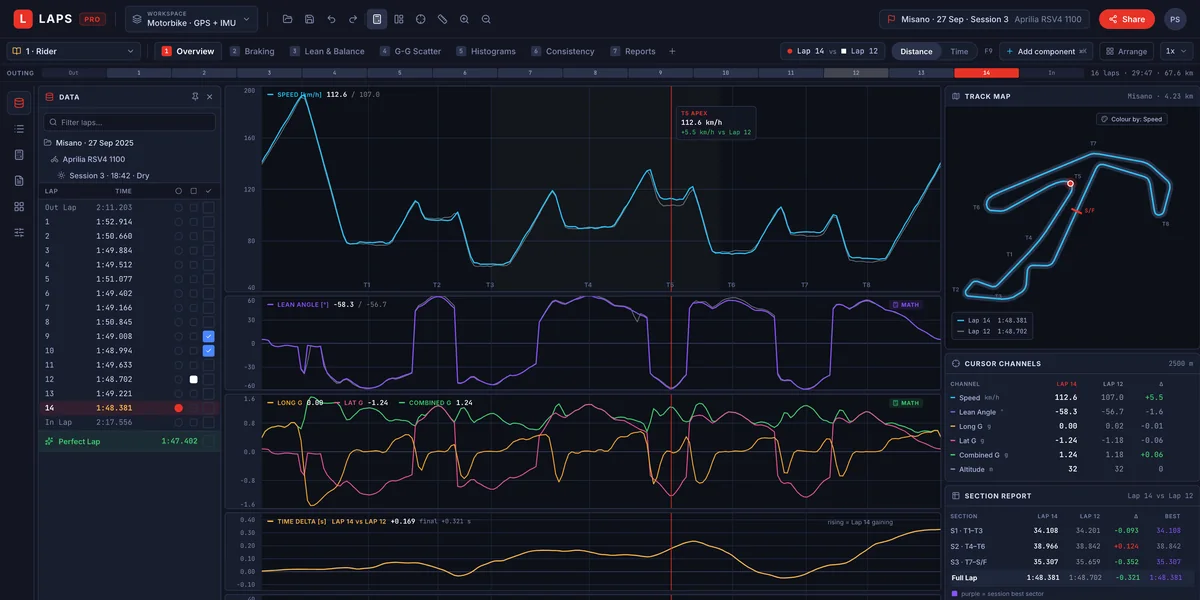
Every channel you record, and the ones you do not.
Bring a GPS lap timer or a full data acquisition system with engine, throttle, brake, suspension and tyre channels. LAPS Pro reads them all, puts them on one cursor, and lets you build the channels you are missing with maths.
- You design the screenWorkspace, workbook, worksheet, component. All four levels are yours.
- Maths is first classLean angle, combined G, time delta and corner radius, or your own.
- One cursorLink cursor, zoom and lap selection across every component.
- Share the whole setupA workspace exports as one file. Send it to a driver, a rider or a team.
Your data
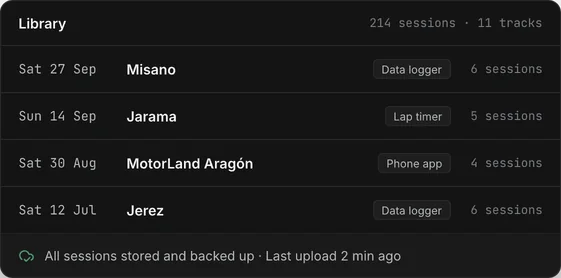
Every session in one place, and safe.
Import from the lap timers and data loggers you already use. Each session is stored in the cloud and backed up, so a lost laptop or a wiped memory card costs you nothing.
- Many devices, one libraryLap timers, data loggers and phone apps. We add more as people ask.
- Stored in the cloud, backed upOpen any session from any computer, years later.
- Yours to take awayDownload the original files whenever you want.
Time and distance
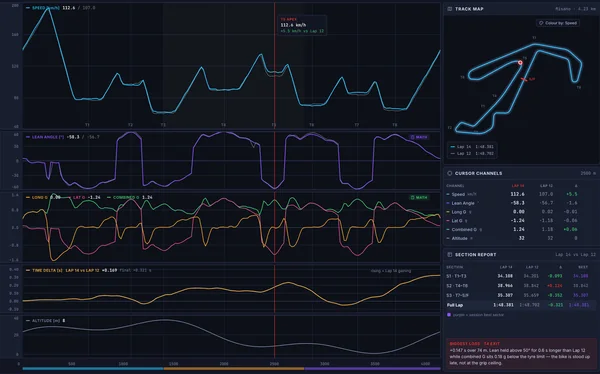
Stack the channels. Read them on one cursor.
Group channels into bands that share an axis. Overlay a reference lap and watch the time delta build corner by corner.
- Bands keep their proportionsResize the panel and the ratio between groups stays.
- Collapse a band to a sparklineOr solo it with a double click.
- By time or by distanceDistance lines corners up across laps.
Scatter
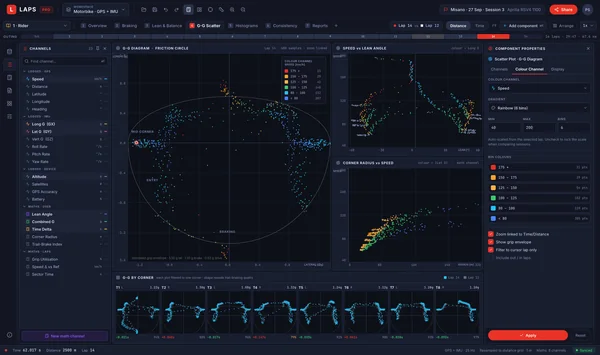
See how much of the tyre you use.
Plot any channel against any other. Lateral against longitudinal G shows the friction circle, and whether braking and turning overlap.
- Trail braking is visibleIt shows as the diagonals between braking and cornering.
- Colour by a third channelSpeed, lap or sector.
Maths channels
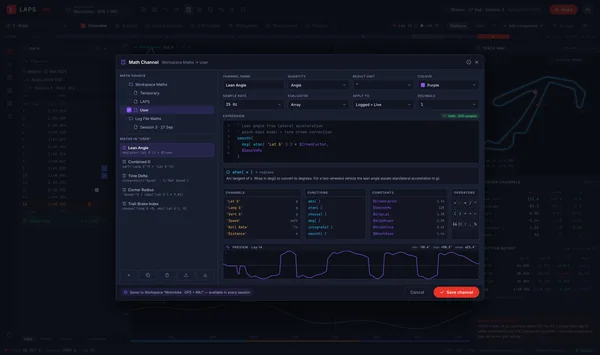
Build the channel your logger does not have.
Write an expression over existing channels. LAPS Pro computes it for every lap in the session.
- Common channels are readyLean angle, combined G, time delta, corner radius.
- Yours are reusableDefine once, use in any worksheet, share with the team.
Histograms and reports
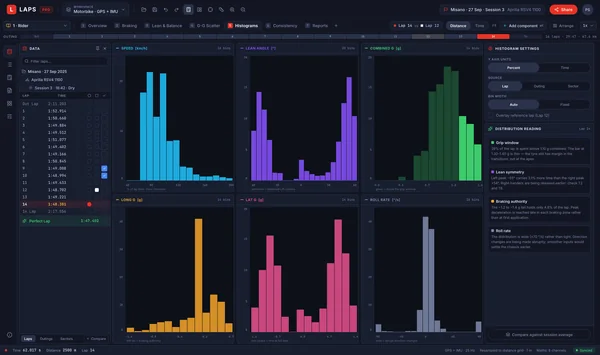
Where the lap time is actually spent.
Histograms show the share of lap time at each speed or lean angle. Reports put minimum, maximum and average per lap in one table.
- Measured in time, not samplesSo slow corners are not over-counted.
- The perfect lapBuilt from your best sectors, next to the real ones.
Worksheets
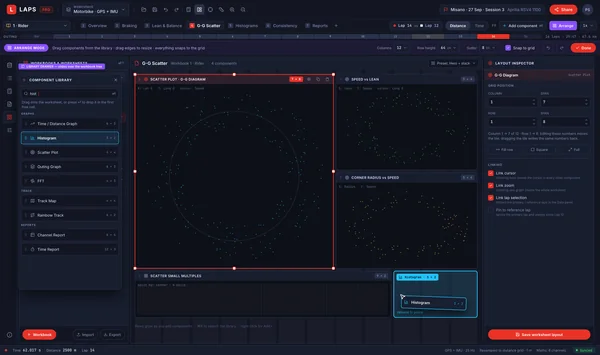
Lay out the screen the way you think.
Drag components onto a grid and resize them. Start from a template or from a blank worksheet.
- Four ways to add a componentDrag it, search it, right click, or double click a channel.
- Templates are a starting pointAfter creation, everything in it is yours to change.
Included · Track Helper
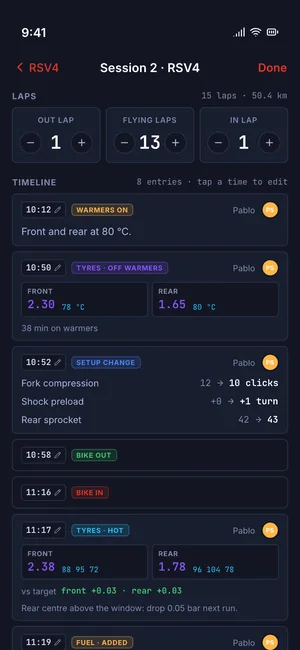
The pit lane notebook feeds the workbench.
Track Helper is a phone app for logging tyres, fuel, tyre changes, setup and notes during the day. In LAPS Pro those entries appear on the same clock as the data.
- See what changed before each sessionPressures, clicks, gearing, next to the lap times that followed.
- Shared by the teamAnyone can add an entry. Each one has a time and a name.
- Useful on its ownFor one person or a whole team, with or without logger data.
Getting started
From a logger file to your own worksheet.
- 1Open a sessionYours, or one someone shared with you.
- 2Pick a template or start blankThe Track Day template gives you six worksheets to change.
- 3Save and share the workspaceSend the file. They see exactly what you see.
Not what you need?
Looking for something else?
Be the first to try LAPS Pro.
LAPS Pro opens soon. Leave your email and we will tell you when it does.
We only use your email to tell you when LAPS opens, and we delete it if you ask.